Changing the status according to the activities are important because of compliance, tracking, or operational updates. Thus, this page will include the details of changing the status and the step by step instructions.
Statuses to be considered:
- ON DUTY - For non-driving activities like loading, fueling, or inspections
- DRIVING - When the vehicle is actively moving
- SLEEPER - When you’re resting in the sleeper berth
- OFF DUTY - When you are completely off duty
- PERSONAL USE - For personal driving not related to work
- YARD MOVE - For moving the vehicle within a yard or private property
Changing the Status
Follow these steps to update your vehicle’s status:
-
First of all make sure your internet is on and your ELD is connected

-
Go to the Status page from the menu
-
Tap on the status under interest from the number of statuses displayed on the Status page.
-
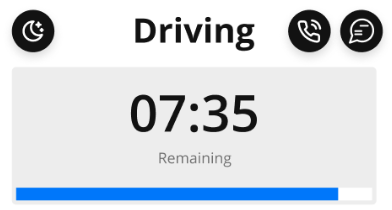
Selected status will be displayed on the Header of the page screen as below:
-
For ON DUTY status you need to specify the additional note that shows the activity you are busy with after starting your shift with ON DUTY. Select the predefined note or add yours with selecting Other from the list below:
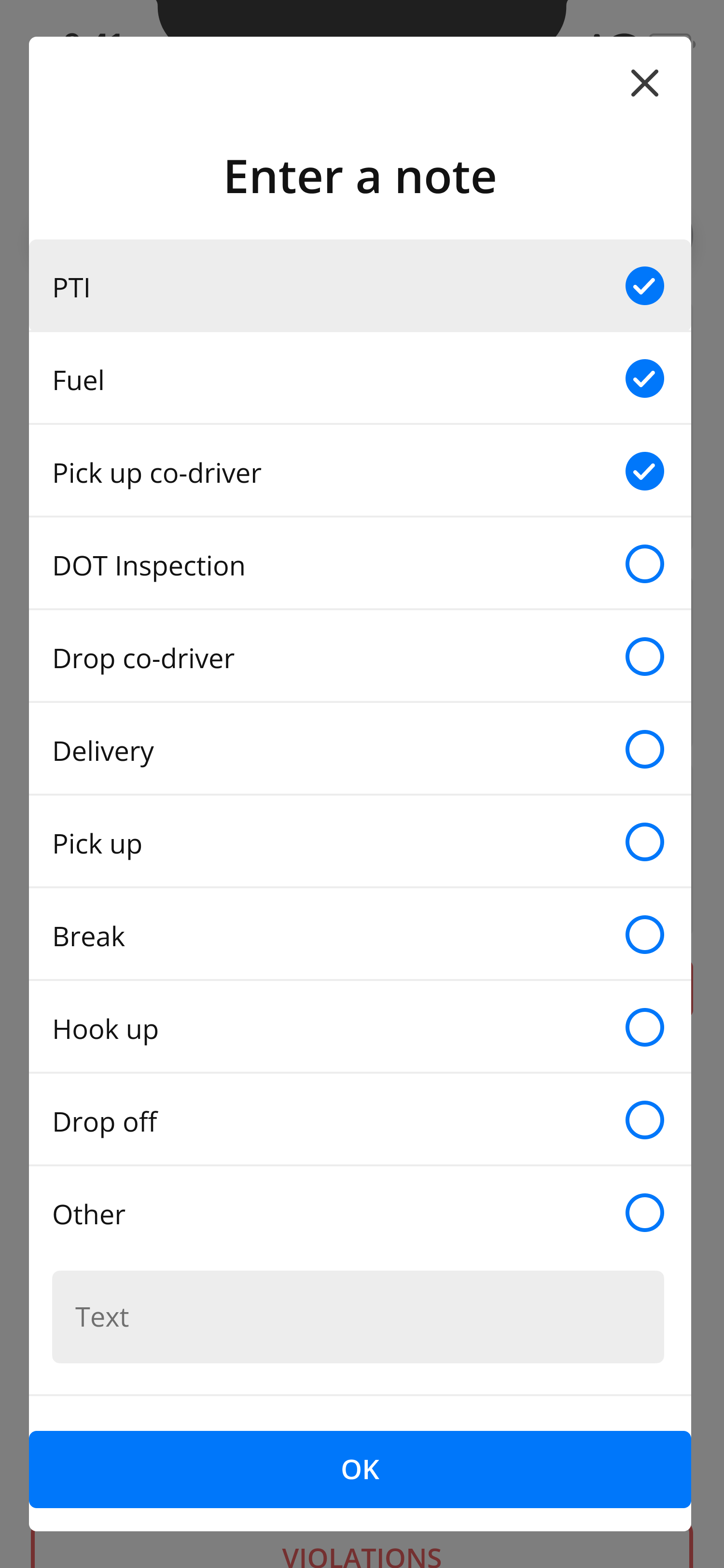
- The note selected here is saved to the Logs of ON DUTY status for the current date - watch the instruction
Note
Always synchronize the logs to avoid technical issues!
To synchronize the logs and timers follow the steps below:
.png)